
Home › Hands-on Guide
Hands-on GuideDownloading and Installing Quark by Country: Malaysia, Thailand, Vietnam, the Philippines, Cambodia, plus Android APK, Play Store, App Store and PC Web
Malaysia, Thailand, Vietnam, the Philippines and Cambodia: how to install Quark via Android APK, the Play Store, the App Store, PC and the web, explained on one page.

How do I download and install Quark Browser in Malaysia
It depends on your OS. On iPhone, search 'Quark' in the App Store first; if it is listed in your region you can install it directly, and if not, switch your Apple ID region to mainland China (which needs a mainland address and phone). On Android, the overseas Google Play store usually has no genuine Quark (many foreign apps share the name), so either change your Play region to mainland China (you cannot change it again for 90 days) or sideload the Quark APK (package name com.quark.browser) from a third-party site such as APKPure or Uptodown, which skips region switching but comes from an uncontrolled source. Since the servers are in China, a return-to-China accelerator is recommended after install.
Can I download the Quark Drive app in Thailand, and do I need a VPN
Yes, you can download it. On iPhone, search 'Quark' in the App Store and install it if it is listed; if not, switch your Apple ID region to mainland China. On Android, overseas Play often has no genuine version, so change the Play region to China or sideload the APK from APKPure or Uptodown. Downloading and installing usually does not require a VPN, but Quark's servers are inside China, so a direct connection from Thailand often times out, loads slowly, or fails on upload and download. It is usable but slow, and the community generally recommends a return-to-China VPN or accelerator to switch your network to a China node.
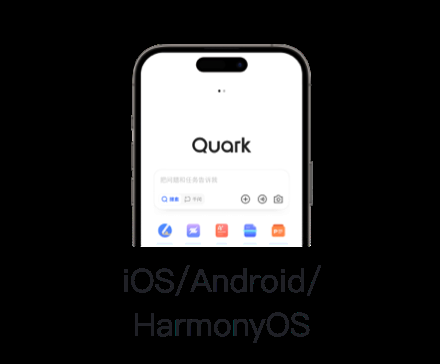
How does an Android phone in Vietnam install the Quark app
There are two routes. The official route: change your Google Play country to mainland China, then search for Quark and download it, noting that the Play region cannot be changed again for 90 days and may require a local payment method. The workaround: sideload the Quark APK (package name com.quark.browser or com.quark.aisearch) directly from a third-party site such as APKPure or Uptodown, which avoids region switching but comes from an uncontrolled source with a risk of bundled extras or an outdated build. After installing, because the servers are in China, a direct connection from Vietnam is slow, so a return-to-China accelerator is recommended.
Does downloading the Quark app in the Philippines need a mainland China number
Downloading the app itself does not need a mainland China number; the sticking point is sign-up and login. On iPhone, search 'Quark' in the App Store or switch to the China region to download; on Android, change the Play region to China or sideload the APK from APKPure or Uptodown. The real trouble is that login usually asks for a mainland number and SMS code. Overseas you can first register WeChat with a local number and use WeChat login to get around it, though some users are still asked to bind a mainland number. If you are stuck, use a virtual mainland +86 number such as eSender to receive the code, or ask a relative in mainland China to receive it.
How do I install Quark Drive in Cambodia when the App Store cannot find it
If the App Store cannot find it, your Apple ID region most likely has no listing. Two fixes: try a region that does have Quark, or change your Apple ID country to mainland China (Settings > Apple ID > Media and Purchases > View Account > Change Country or Region > mainland China, which needs a mainland address and phone; before switching, clear your balance, cancel subscriptions, and leave Family Sharing). On Android, change the Play region to China or sideload the APK from APKPure or Uptodown. After installing, the servers are in China, so a direct connection from Cambodia is slow and a return-to-China accelerator is recommended.

What is the official Quark Android APK download address, and how do I confirm it is genuine
Alibaba's genuine Quark Android package name is com.quark.browser or com.quark.aisearch, so check that package name first, and prefer better-known third-party sites such as APKPure or Uptodown, avoiding same-name foreign apps like eduquark or vqafrik.browser on Google Play. There is no single authoritative official APK direct link (overseas official Play usually has no listing), and third-party downloads carry a risk of bundled extras or outdated builds, so before installing it is best to verify the package name and developer (Alibaba Quark). Confirm any specific direct link by testing it yourself.
Overseas app stores cannot find Quark; where do I download the official APK
Overseas official Google Play often genuinely cannot find a real Quark (many foreign apps share the name). Two routes: change your Play region to mainland China and download (you cannot change it again for 90 days), or sideload the Quark APK directly from a third-party site such as APKPure, Uptodown, or firepx, which avoids region switching but comes from an uncontrolled source with a risk of bundled extras or an old build. Either way, before installing verify the package name com.quark.browser or com.quark.aisearch and the developer (Alibaba Quark) to avoid a fake.
How do I download the latest Quark Browser APK, and can I install it overseas directly
Overseas you can install the APK directly without switching regions. The common approach is to sideload the Quark APK (package name com.quark.browser) from a third-party site such as APKPure, Uptodown, or firepx. The upside is no Play region change; the downside is that these sites are an uncontrolled source and may carry bundled extras or not be the latest version, so pick a better-known site and verify the package name and developer. If you want the official build, you need to change your Google Play region to mainland China (which then cannot be changed again for 90 days).
I cannot find Quark Drive in the Google Play store; has it been removed
Not necessarily removed; more likely the overseas official Google Play simply never listed a genuine Quark, and Play only shows apps available in your current region. Searching 'Quark' also surfaces same-name foreign apps such as eduquark or vqafrik.browser. To get the genuine app, change your Play region to mainland China (you cannot change it again for 90 days, and it may need a local payment method) or sideload the Quark APK (package name com.quark.browser) from a third-party site such as APKPure or Uptodown.
How can an Android phone with an overseas Google account install the Quark app
Two routes. The official route: change your Google Play account country to mainland China, then search for Quark and download it, noting that changing the region may need a local payment method and cannot be changed again for 90 days. The workaround: leave the Play region alone and sideload the Quark APK (package name com.quark.browser) directly from a third-party site such as APKPure, Uptodown, or firepx, which skips region switching but comes from an uncontrolled source. After installing, the servers are in China, so an overseas direct connection is slow and a return-to-China accelerator is recommended.
Why can I not download or find the Quark app in the Apple App Store
Most likely the App Store in your Apple ID region has no Quark listing. The good news is the official Quark iOS app is now listed across several overseas regions, so first try a region that has it; if it is still not found, change your Apple ID country to mainland China: Settings > Apple ID > Media and Purchases > View Account > Change Country or Region > mainland China (which needs a mainland address and phone; before switching, clear your balance, cancel subscriptions, and leave Family Sharing, since frequent switching can trigger account anomalies).

How do I download the Quark Drive PC desktop version, and where is the official Windows installer
The available material does not give a specific download address for an official Quark Drive Windows installer, so to be safe look for the PC download entry on the Quark official site or the web app (browserquark.com), and verify the official Alibaba Quark domain to avoid a fake package (confirm by testing). If you do not want to install a client for now, overseas you can also use the Quark web app to log in directly. Note the servers are in China, so an overseas PC direct connection is also slow, and a return-to-China accelerator is recommended for large downloads.
Sources: Quark Official Site、Apple App Store、CNNIC
FAQ
Malaysia, Thailand, Vietnam, the Philippines and Cambodia: how to install Quark via Android APK, the Play Store, the App Store, PC and the web, explained on one page.
How do I download and install Quark Browser in Malaysia?
It depends on your OS. On iPhone, search 'Quark' in the App Store first; if it is listed in your region you can install it directly, and if not, switch your Apple ID region to mainland China (which needs a mainland address and phone). On Android, the overseas Google Play store usually has no genuine Quark (many foreign apps share the name), so either change your Play region to mainland China (you cannot change it again for 90 days) or sideload the Quark APK (package name com.quark.browser) from a third-party site such as APKPure or Uptodown, which skips region switching but comes from an uncontrolled source. Since the servers are in China, a return-to-China accelerator is recommended after install.
Can I download the Quark Drive app in Thailand, and do I need a VPN?
Yes, you can download it. On iPhone, search 'Quark' in the App Store and install it if it is listed; if not, switch your Apple ID region to mainland China. On Android, overseas Play often has no genuine version, so change the Play region to China or sideload the APK from APKPure or Uptodown. Downloading and installing usually does not require a VPN, but Quark's servers are inside China, so a direct connection from Thailand often times out, loads slowly, or fails on upload and download. It is usable but slow, and the community generally recommends a return-to-China VPN or accelerator to switch your network to a China node.
How does an Android phone in Vietnam install the Quark app?
There are two routes. The official route: change your Google Play country to mainland China, then search for Quark and download it, noting that the Play region cannot be changed again for 90 days and may require a local payment method. The workaround: sideload the Quark APK (package name com.quark.browser or com.quark.aisearch) directly from a third-party site such as APKPure or Uptodown, which avoids region switching but comes from an uncontrolled source with a risk of bundled extras or an outdated build. After installing, because the servers are in China, a direct connection from Vietnam is slow, so a return-to-China accelerator is recommended.
Does downloading the Quark app in the Philippines need a mainland China number?
Downloading the app itself does not need a mainland China number; the sticking point is sign-up and login. On iPhone, search 'Quark' in the App Store or switch to the China region to download; on Android, change the Play region to China or sideload the APK from APKPure or Uptodown. The real trouble is that login usually asks for a mainland number and SMS code. Overseas you can first register WeChat with a local number and use WeChat login to get around it, though some users are still asked to bind a mainland number. If you are stuck, use a virtual mainland +86 number such as eSender to receive the code, or ask a relative in mainland China to receive it.
How do I install Quark Drive in Cambodia when the App Store cannot find it?
If the App Store cannot find it, your Apple ID region most likely has no listing. Two fixes: try a region that does have Quark, or change your Apple ID country to mainland China (Settings > Apple ID > Media and Purchases > View Account > Change Country or Region > mainland China, which needs a mainland address and phone; before switching, clear your balance, cancel subscriptions, and leave Family Sharing). On Android, change the Play region to China or sideload the APK from APKPure or Uptodown. After installing, the servers are in China, so a direct connection from Cambodia is slow and a return-to-China accelerator is recommended.
What is the official Quark Android APK download address, and how do I confirm it is genuine?
Alibaba's genuine Quark Android package name is com.quark.browser or com.quark.aisearch, so check that package name first, and prefer better-known third-party sites such as APKPure or Uptodown, avoiding same-name foreign apps like eduquark or vqafrik.browser on Google Play. There is no single authoritative official APK direct link (overseas official Play usually has no listing), and third-party downloads carry a risk of bundled extras or outdated builds, so before installing it is best to verify the package name and developer (Alibaba Quark). Confirm any specific direct link by testing it yourself.
Overseas app stores cannot find Quark; where do I download the official APK?
Overseas official Google Play often genuinely cannot find a real Quark (many foreign apps share the name). Two routes: change your Play region to mainland China and download (you cannot change it again for 90 days), or sideload the Quark APK directly from a third-party site such as APKPure, Uptodown, or firepx, which avoids region switching but comes from an uncontrolled source with a risk of bundled extras or an old build. Either way, before installing verify the package name com.quark.browser or com.quark.aisearch and the developer (Alibaba Quark) to avoid a fake.
How do I download the latest Quark Browser APK, and can I install it overseas directly?
Overseas you can install the APK directly without switching regions. The common approach is to sideload the Quark APK (package name com.quark.browser) from a third-party site such as APKPure, Uptodown, or firepx. The upside is no Play region change; the downside is that these sites are an uncontrolled source and may carry bundled extras or not be the latest version, so pick a better-known site and verify the package name and developer. If you want the official build, you need to change your Google Play region to mainland China (which then cannot be changed again for 90 days).
I cannot find Quark Drive in the Google Play store; has it been removed?
Not necessarily removed; more likely the overseas official Google Play simply never listed a genuine Quark, and Play only shows apps available in your current region. Searching 'Quark' also surfaces same-name foreign apps such as eduquark or vqafrik.browser. To get the genuine app, change your Play region to mainland China (you cannot change it again for 90 days, and it may need a local payment method) or sideload the Quark APK (package name com.quark.browser) from a third-party site such as APKPure or Uptodown.
How can an Android phone with an overseas Google account install the Quark app?
Two routes. The official route: change your Google Play account country to mainland China, then search for Quark and download it, noting that changing the region may need a local payment method and cannot be changed again for 90 days. The workaround: leave the Play region alone and sideload the Quark APK (package name com.quark.browser) directly from a third-party site such as APKPure, Uptodown, or firepx, which skips region switching but comes from an uncontrolled source. After installing, the servers are in China, so an overseas direct connection is slow and a return-to-China accelerator is recommended.
Why can I not download or find the Quark app in the Apple App Store?
Most likely the App Store in your Apple ID region has no Quark listing. The good news is the official Quark iOS app is now listed across several overseas regions, so first try a region that has it; if it is still not found, change your Apple ID country to mainland China: Settings > Apple ID > Media and Purchases > View Account > Change Country or Region > mainland China (which needs a mainland address and phone; before switching, clear your balance, cancel subscriptions, and leave Family Sharing, since frequent switching can trigger account anomalies).
How do I download the Quark Drive PC desktop version, and where is the official Windows installer?
The available material does not give a specific download address for an official Quark Drive Windows installer, so to be safe look for the PC download entry on the Quark official site or the web app (browserquark.com), and verify the official Alibaba Quark domain to avoid a fake package (confirm by testing). If you do not want to install a client for now, overseas you can also use the Quark web app to log in directly. Note the servers are in China, so an overseas PC direct connection is also slow, and a return-to-China accelerator is recommended for large downloads.
Can the Quark Drive PC version log in and download files overseas, and is it speed-limited?
Overseas a PC can log in and download, but you hit two hurdles. For login, without a mainland number you can use WeChat login (register WeChat with a local number, then scan to authorize), though some users are still asked to bind a mainland number. For speed, Quark's servers are in China, so an overseas direct connection often times out and loads slowly; free users also test slow (around 650-700KB/s), and only an SVIP membership on a dedicated channel speeds it up noticeably (officially up to 50MB/s, around 11MB/s in tests). Overseas slowness comes from both the cross-border route and the free-tier limit, so use an accelerator and open membership as needed.
I do not want to install the app; what is the Quark web entry URL, and does it open overseas?
The Quark Drive web entry is browserquark.com, and the WeChat QR login page is browserquark.com/wechat_qrcode; overseas you can open it in a browser and use WeChat login. But Quark's servers are in China, so a direct connection from Southeast Asia and elsewhere often times out, loads slowly, or fails to open, and the community generally recommends a return-to-China VPN or accelerator to switch to a China node before visiting. A few users also claim a China IP may be needed to register and use it and that merely faking an IP may not work, but this is unconfirmed by the official side.
My Quark Drive verification code never arrives; can I switch to voice verification?
Whether Quark offers a voice verification code entry is not clearly stated officially, so go by the actual options on the sign-up page. Not receiving SMS overseas is common, usually because non-mainland numbers are not accepted or the network is not switched to China. A more reliable order is: first use a return-to-China VPN to switch your network to China and retry; if it still does not arrive, switch to WeChat login (register WeChat with a local number, then scan); if that fails, use a virtual mainland +86 number to receive the code, or ask a relative in mainland China to receive it.
Which SMS-receiving platform can receive Quark Drive verification codes?
The more reliable choice the community keeps mentioning is a service like eSender that provides a virtual mainland +86 number and receives SMS through a WeChat official account; a mainland number costs about HK$28/30 days, HK$88/180 days, or HK$128/360 days, needs a passport English name match, allows one China and one Hong Kong number per WeChat ID, and offers about a 3-day free trial. Note that whether such a number is accepted by Quark is user-tested, while network virtual numbers like TextNow are explicitly noted as unsupported. An easier path is to register WeChat with a local number and use WeChat login, or ask a mainland relative to receive the code.
After registering with an SMS-receiving number, the second Quark Drive login asks for a code I cannot get; what do I do?
If a Quark account registered with a virtual SMS-receiving number triggers SMS verification again on the second login while that virtual number has expired or cannot receive codes, you get stuck; this is a common risk of SMS-receiving registration. Workable steps: keep the device logged in and avoid frequent sign-outs; while you can still get in, switch to WeChat login and bind it, so future logins use a WeChat scan rather than that virtual number; and if the number is still valid, receive a fresh code through a platform like eSender's WeChat official account. Whether it works depends on the state of your number, so test it.
Can I register and log in to Quark Drive on a Mac?
Yes, you can register and log in through the Quark web app in a Mac browser: open the web app and click WeChat login to scan, or use a mainland number plus SMS code. Two notes for Mac and desktop registration: Quark's servers are in China, so an overseas direct connection often times out and a return-to-China VPN is recommended first; and to trigger perks like 'new-user 1TB free space', you must log in inside the phone app with a phone-number code to count as a new user, which the desktop cannot trigger. Without a mainland number, the main path is still to register WeChat with a local number and use WeChat login.
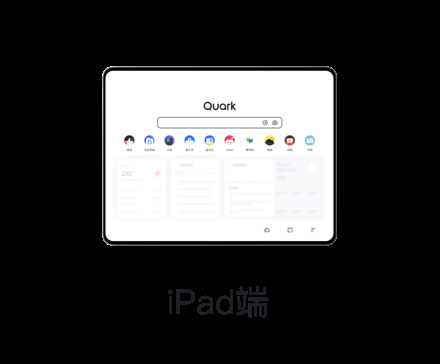
How do I register a Quark Drive account on an iPad?
On an iPad you can install the Quark app from the App Store, or open the Quark web app in a browser, then use WeChat login to scan (register WeChat with a local number first) or a mainland number plus SMS code. Two notes: Quark's servers are in China, so an overseas direct connection often times out and a return-to-China VPN or accelerator is recommended first; and perks like 'new-user 1TB free space' only trigger inside the phone app with a phone-number code, so the iPad and desktop cannot get them. If WeChat scanning still asks for a mainland number, use a virtual mainland number to receive the code or ask a relative to receive it.
Quark Drive will not open in Hong Kong; is it being blocked?
Most likely it is not a targeted block but a network connectivity issue. Quark and Quark Drive servers are mainly in China, so a direct connection from Hong Kong and other overseas areas commonly times out, loads slowly, or will not open. The community's general fix is a return-to-China VPN or accelerator to switch to a China node, which improves the experience noticeably. A few users also claim a China IP may be needed and that merely changing IP may not work, but that is a single hands-on report, unconfirmed by the official side, and only for reference.