
Home › Hands-on Guide
Hands-on GuidePanduan Pasang Aplikasi Quark di Luar Negara: Tukar Wilayah iOS, APK Android dan Klien PC
Tak jumpa, tukar wilayah, ralat APK dan akses PC, semua cara memasang Quark di luar negara.

My Quark APK downloaded but says unknown source and will not install. What do I do
This is Android security blocking the install, not a problem with Quark itself. Before installing a third-party APK, go to Settings > Security on your phone, or use the prompt that pops up during install, and turn on Allow installation from unknown sources or Allow from this source, then return to the install screen and confirm. Turning that permission back off afterward is safer. One caution: APK files from third-party sites like APKPure or Uptodown can carry bundled extras or be outdated, so before downloading try to confirm the package name is com.quark.browser and favor sources with official backing.
Can I install the Quark APK on an international Xiaomi or Samsung phone, and what are the pitfalls
Yes. The Quark Android package is not brand-specific, so international Xiaomi, Samsung, and other Android phones can sideload the Quark APK; the key is turning on Allow unknown sources during install. There are three main pitfalls. First, the official overseas Google Play often does not show the genuine Alibaba Quark (there are many foreign apps with the same name), so you may need to change your Play Store region or get the APK from a third-party site. Second, third-party sources like APKPure and Uptodown may be outdated or carry bundled extras, so confirm the package name com.quark.browser. Third, once installed, the real hurdle is registration and the overseas network, since the servers are in mainland China and a direct connection can be slow, often needing a return-to-China accelerator.
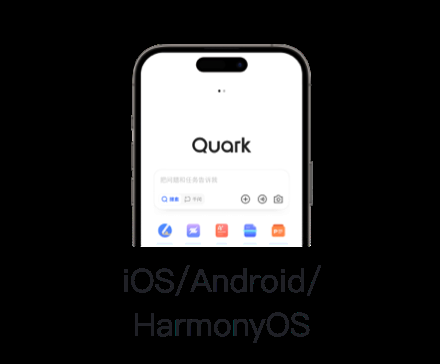
My Huawei phone has no Google services. How do I download and install the Quark App
Having no Google services on a Huawei phone actually makes this simpler, because Quark does not rely on the Google framework to begin with. The most direct method is to sideload the APK: use a browser to download the Quark installer from APKPure, Uptodown, the Huawei AppGallery, or similar (confirm the package name com.quark.browser), and turn on Allow unknown sources when prompted during install. Since third-party sources can be outdated or carry bundled extras, try to pick a source with official backing before downloading. After installation you can register your way around a mainland phone number by signing up for WeChat with a local number and then using WeChat login; pair it with a return-to-China accelerator when the direct connection is slow.
Does registering a China region Apple ID require a Chinese ID card or phone number to download Quark
The good news is that in most cases you may not need to switch to the China region at all. The official Quark iOS App is actually listed in several overseas App Store regions (the developer is Alibaba subsidiary Guangzhou Dongyue), so if your current Apple ID region can find Quark, just download it directly without registering a China ID. Only when your region cannot find it do you need to change your existing Apple ID country or region to mainland China, which then requires you to enter a mainland China address and phone details. Whether a Chinese ID card verification is mandatory varies by situation; go by the actual region-change prompts and verify this yourself.
I already have a China region Apple ID. After downloading Quark, can I switch back to my original ID
Yes. Switching an Apple ID region and signing in or out are two separate things: you can sign in to the App Store with a China region Apple ID to download and install Quark, then sign out and switch back to your usual original Apple ID for other apps, and the already installed Quark will generally still open and work fine. Just note that frequently switching countries or regions on the same Apple ID can trigger account anomalies, so it is better to use a dedicated China region ID for downloading and keep your main ID untouched, avoiding back-and-forth region switches.

Will switching my Apple ID region to download Quark affect apps I already bought
Switching regions itself does not delete apps you already purchased, but watch a few things: before switching to the China region, Apple usually requires your account balance to be zero, all subscriptions canceled, and Family Sharing left, otherwise the switch will not go through; after switching, buying or updating apps with that ID will be billed in the new region. The safest approach is to register or use a separate China region Apple ID just for downloading Quark, and keep your primary ID in its original region untouched, so your purchased apps and subscriptions are unaffected. Frequent back-and-forth region switching can also trigger account anomalies and should be avoided.
I do not want to change my Apple ID on iPhone. Is there another way to install Quark
There are a few options. First, confirm whether your current Apple ID region App Store can find Quark; it is listed in several overseas regions, and if you can find it you can install it directly without changing your ID at all. Second, if you cannot find it and do not want to switch regions, you can use the Quark Drive web version to sign in instead, which works in a browser with no app to install. Third, if you really must install the app, it is better to use a separate China region Apple ID to download it and keep your primary ID untouched. Of these, searching your own region App Store first and using the web version are the least hassle.
Does Quark have a Mac version, and how do I download and install it on a Mac
On a Mac, the most reliable approach is the web version: open the Quark Drive web version in Safari or Chrome, sign in by QR code or WeChat, and you can then manage files and upload or download online with no client to install, which is also the most cross-platform friendly. If your Mac is an Apple silicon model, the App Store can sometimes install the iOS or iPad version of Quark directly, but whether it can be installed depends on the listing and developer settings, so verify this yourself. When accessing from overseas the servers are in mainland China, so pair it with a return-to-China accelerator if it is slow.
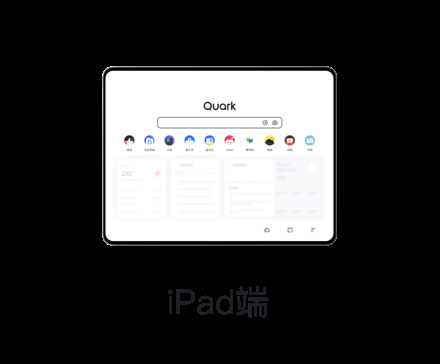
Are Quark Browser and Quark Drive the same app, and which one do I download overseas
They both belong to Alibaba Quark and are essentially one and the same: Quark itself is an AI search and browser app, and the drive is a feature module built into the Quark App, so once you download and install the Quark App you can use the drive directly after signing in, with no need to install a separate drive app. Overseas users simply download the app called Quark (on iOS confirm the developer is Alibaba Guangzhou Dongyue; on Android confirm the package name com.quark.browser), then open the drive inside the app after signing in. If you only want to manage files, you can also just use the Quark Drive web version.
For downloading the Quark App overseas, is Android or iPhone more convenient
Overall iPhone is less hassle. On iOS the official Quark App is listed in several overseas App Store regions, so if your region can find it you install it directly, and only switch to the China region if you cannot, which is a clear process. Android is actually more troublesome: the official overseas Google Play often does not show the genuine Alibaba Quark (many foreign apps share the name), so you either change your Play Store region (which then cannot be changed again for 90 days) or sideload the APK from a third-party site like APKPure (with outdated or bundled risks). So the common experience is that Apple is easy and Android is hard. The real shared hurdles on both, registration and the overseas network, have nothing to do with the device model.
The Quark App crashes or keeps loading when opened overseas. How do I fix it
If it keeps loading and spinning overseas, it is most likely a network issue: the Quark servers are in mainland China, and a direct connection from Southeast Asia, Canada, and similar places often times out or loads slowly, so first turn on a return-to-China VPN or accelerator to route to a China node, and it usually works after that. If it crashes, first try updating to the latest version (sideloaded old APKs tend to be incompatible, so re-download the genuine package and confirm the Android package name com.quark.browser), clearing the cache, or reinstalling. Handle the two problems separately: slow loading is about the network, and crashing is about the app version and device compatibility, the latter of which needs to be verified.

Is the Quark App downloaded overseas safe, and are there privacy or data risks
By source, downloading on iOS through the official App Store (the developer is Alibaba subsidiary Guangzhou Dongyue) is fairly safe; what really deserves attention is Android sideloading. The official overseas Google Play often does not show the genuine version, so getting the APK from third-party sites like APKPure or Uptodown carries bundling, repackaging, or outdated risks, so be sure to confirm the package name com.quark.browser and favor sources with official backing. On privacy, Quark is an Alibaba mainland China product with servers in mainland China and data stored there, so if you are concerned, store fewer sensitive files. Specific compliance details are not covered here; assess this yourself and verify.
Sources: Apple App Store、Quark Official Site、Microsoft Store
FAQ
Tak jumpa, tukar wilayah, ralat APK dan akses PC, semua cara memasang Quark di luar negara.
My Quark APK downloaded but says unknown source and will not install. What do I do?
This is Android security blocking the install, not a problem with Quark itself. Before installing a third-party APK, go to Settings > Security on your phone, or use the prompt that pops up during install, and turn on Allow installation from unknown sources or Allow from this source, then return to the install screen and confirm. Turning that permission back off afterward is safer. One caution: APK files from third-party sites like APKPure or Uptodown can carry bundled extras or be outdated, so before downloading try to confirm the package name is com.quark.browser and favor sources with official backing.
Can I install the Quark APK on an international Xiaomi or Samsung phone, and what are the pitfalls?
Yes. The Quark Android package is not brand-specific, so international Xiaomi, Samsung, and other Android phones can sideload the Quark APK; the key is turning on Allow unknown sources during install. There are three main pitfalls. First, the official overseas Google Play often does not show the genuine Alibaba Quark (there are many foreign apps with the same name), so you may need to change your Play Store region or get the APK from a third-party site. Second, third-party sources like APKPure and Uptodown may be outdated or carry bundled extras, so confirm the package name com.quark.browser. Third, once installed, the real hurdle is registration and the overseas network, since the servers are in mainland China and a direct connection can be slow, often needing a return-to-China accelerator.
My Huawei phone has no Google services. How do I download and install the Quark App?
Having no Google services on a Huawei phone actually makes this simpler, because Quark does not rely on the Google framework to begin with. The most direct method is to sideload the APK: use a browser to download the Quark installer from APKPure, Uptodown, the Huawei AppGallery, or similar (confirm the package name com.quark.browser), and turn on Allow unknown sources when prompted during install. Since third-party sources can be outdated or carry bundled extras, try to pick a source with official backing before downloading. After installation you can register your way around a mainland phone number by signing up for WeChat with a local number and then using WeChat login; pair it with a return-to-China accelerator when the direct connection is slow.
Does registering a China region Apple ID require a Chinese ID card or phone number to download Quark?
The good news is that in most cases you may not need to switch to the China region at all. The official Quark iOS App is actually listed in several overseas App Store regions (the developer is Alibaba subsidiary Guangzhou Dongyue), so if your current Apple ID region can find Quark, just download it directly without registering a China ID. Only when your region cannot find it do you need to change your existing Apple ID country or region to mainland China, which then requires you to enter a mainland China address and phone details. Whether a Chinese ID card verification is mandatory varies by situation; go by the actual region-change prompts and verify this yourself.
I already have a China region Apple ID. After downloading Quark, can I switch back to my original ID?
Yes. Switching an Apple ID region and signing in or out are two separate things: you can sign in to the App Store with a China region Apple ID to download and install Quark, then sign out and switch back to your usual original Apple ID for other apps, and the already installed Quark will generally still open and work fine. Just note that frequently switching countries or regions on the same Apple ID can trigger account anomalies, so it is better to use a dedicated China region ID for downloading and keep your main ID untouched, avoiding back-and-forth region switches.
Will switching my Apple ID region to download Quark affect apps I already bought?
Switching regions itself does not delete apps you already purchased, but watch a few things: before switching to the China region, Apple usually requires your account balance to be zero, all subscriptions canceled, and Family Sharing left, otherwise the switch will not go through; after switching, buying or updating apps with that ID will be billed in the new region. The safest approach is to register or use a separate China region Apple ID just for downloading Quark, and keep your primary ID in its original region untouched, so your purchased apps and subscriptions are unaffected. Frequent back-and-forth region switching can also trigger account anomalies and should be avoided.
I do not want to change my Apple ID on iPhone. Is there another way to install Quark?
There are a few options. First, confirm whether your current Apple ID region App Store can find Quark; it is listed in several overseas regions, and if you can find it you can install it directly without changing your ID at all. Second, if you cannot find it and do not want to switch regions, you can use the Quark Drive web version to sign in instead, which works in a browser with no app to install. Third, if you really must install the app, it is better to use a separate China region Apple ID to download it and keep your primary ID untouched. Of these, searching your own region App Store first and using the web version are the least hassle.
Does Quark have a Mac version, and how do I download and install it on a Mac?
On a Mac, the most reliable approach is the web version: open the Quark Drive web version in Safari or Chrome, sign in by QR code or WeChat, and you can then manage files and upload or download online with no client to install, which is also the most cross-platform friendly. If your Mac is an Apple silicon model, the App Store can sometimes install the iOS or iPad version of Quark directly, but whether it can be installed depends on the listing and developer settings, so verify this yourself. When accessing from overseas the servers are in mainland China, so pair it with a return-to-China accelerator if it is slow.
Are Quark Browser and Quark Drive the same app, and which one do I download overseas?
They both belong to Alibaba Quark and are essentially one and the same: Quark itself is an AI search and browser app, and the drive is a feature module built into the Quark App, so once you download and install the Quark App you can use the drive directly after signing in, with no need to install a separate drive app. Overseas users simply download the app called Quark (on iOS confirm the developer is Alibaba Guangzhou Dongyue; on Android confirm the package name com.quark.browser), then open the drive inside the app after signing in. If you only want to manage files, you can also just use the Quark Drive web version.
For downloading the Quark App overseas, is Android or iPhone more convenient?
Overall iPhone is less hassle. On iOS the official Quark App is listed in several overseas App Store regions, so if your region can find it you install it directly, and only switch to the China region if you cannot, which is a clear process. Android is actually more troublesome: the official overseas Google Play often does not show the genuine Alibaba Quark (many foreign apps share the name), so you either change your Play Store region (which then cannot be changed again for 90 days) or sideload the APK from a third-party site like APKPure (with outdated or bundled risks). So the common experience is that Apple is easy and Android is hard. The real shared hurdles on both, registration and the overseas network, have nothing to do with the device model.
The Quark App crashes or keeps loading when opened overseas. How do I fix it?
If it keeps loading and spinning overseas, it is most likely a network issue: the Quark servers are in mainland China, and a direct connection from Southeast Asia, Canada, and similar places often times out or loads slowly, so first turn on a return-to-China VPN or accelerator to route to a China node, and it usually works after that. If it crashes, first try updating to the latest version (sideloaded old APKs tend to be incompatible, so re-download the genuine package and confirm the Android package name com.quark.browser), clearing the cache, or reinstalling. Handle the two problems separately: slow loading is about the network, and crashing is about the app version and device compatibility, the latter of which needs to be verified.
Is the Quark App downloaded overseas safe, and are there privacy or data risks?
By source, downloading on iOS through the official App Store (the developer is Alibaba subsidiary Guangzhou Dongyue) is fairly safe; what really deserves attention is Android sideloading. The official overseas Google Play often does not show the genuine version, so getting the APK from third-party sites like APKPure or Uptodown carries bundling, repackaging, or outdated risks, so be sure to confirm the package name com.quark.browser and favor sources with official backing. On privacy, Quark is an Alibaba mainland China product with servers in mainland China and data stored there, so if you are concerned, store fewer sensitive files. Specific compliance details are not covered here; assess this yourself and verify.
On an iPhone in Singapore, is switching regions or using the web version easier for installing Quark?
Do not rush to switch regions. First, in the Singapore App Store, search for Quark directly; it is listed in several overseas regions, so if you can find it you install it most easily, and only consider switching your Apple ID to mainland China if you cannot (switching requires a zero balance, canceled subscriptions, and leaving Family Sharing, which is rather involved). If you mainly view files and save shares, the lightest option is actually the Quark Drive web version, which works by QR or WeChat sign-in in a browser with no app to install at all. On balance: install the app if your own region can find it, otherwise prefer the web version, and leave region switching as a last resort.
On an Android phone in Taiwan, is downloading the APK from the official site or changing the Google account more reliable?
The two paths each have trade-offs. Changing your Google Play account to the mainland China region gets you the store version of Quark, which is relatively official, but the downside is that the Play region cannot be changed again for 90 days once set, which is quite rigid. Sideloading the APK from a third-party site (APKPure, Uptodown, or firepx) wins on not needing a region switch and installing anytime, but the source is uncontrolled and carries bundling or outdated risks. A middle-ground suggestion: prefer downloading from a third-party site, but be sure to confirm the package name com.quark.browser and choose a source with official backing; if you would rather avoid sideloading risk and can accept the 90-day region lock, then consider changing your Play region.
Can I download Quark Drive from the Hong Kong App Store, or do I need to change regions?
First try searching for Quark directly in the Hong Kong App Store; the official Quark iOS App is now listed across several overseas regions, so if it is listed in the Hong Kong region you can download it without changing regions. If you cannot find it, change your Apple ID country or region to mainland China (Settings > Apple ID > Media and Purchases > View Account > Change Country or Region > China mainland; you must enter a mainland address and phone, and before switching, clear your balance, cancel subscriptions, and leave Family Sharing). Whether the Hong Kong region has the listing should be verified yourself.
Can a Taiwan Apple ID App Store find the Quark App?
The official Quark iOS App is now listed across several overseas regions, so a Taiwan region Apple ID can first search for Quark directly to see if it appears; if it is listed you download it directly without switching regions. If you cannot find it, change your Apple ID country or region to mainland China (Settings > Apple ID > Media and Purchases > View Account > Change Country or Region > China mainland; you must enter a mainland address and phone, and before switching, clear your balance, cancel subscriptions, and leave Family Sharing). Whether the Taiwan region currently has the listing should be verified yourself.
I cannot download Quark from the Singapore App Store. How do I fix it?
First, in the Singapore App Store, search for Quark directly; the official Quark iOS App is now listed across multiple regions, so if it is listed you can download it directly. If you cannot find it, change your Apple ID country or region to mainland China: Settings > Apple ID > Media and Purchases > View Account > Change Country or Region > China mainland (you must enter a mainland address and phone, and before switching, clear your balance, cancel subscriptions, and leave Family Sharing, since frequent region switching can trigger account anomalies). After switching, you can find Quark in the China region and download it.
Do I have to switch my Apple ID region to download the Quark App, and which region do I switch to?
Not necessarily. The official Quark iOS App is now listed across several overseas regions, so first search for Quark in your current region App Store, and if it is listed you download it directly with no region switch. Only when your current region cannot find it do you need to switch your Apple ID country or region to mainland China: Settings > Apple ID > Media and Purchases > View Account > Change Country or Region > China mainland (you must enter a mainland address and phone, and before switching, clear your balance, cancel subscriptions, and leave Family Sharing, since frequent region switching can trigger account anomalies).
A step-by-step install guide for the Quark Browser iOS version on iPhone?
Steps: 1) Open the App Store and search for Quark; if it is listed in your region, download and install it directly (the official Quark iOS App is now listed across multiple regions and needs iOS 13 or above). 2) If you cannot find it, switch your Apple ID region to mainland China: Settings > Apple ID > Media and Purchases > View Account > Change Country or Region > China mainland, entering a mainland address and phone (before switching, clear your balance, cancel subscriptions, and leave Family Sharing), then search the App Store again for Quark and download. 3) After installation, you can sign in by registering WeChat with a local number and using WeChat login; since the drive is slow overseas, pair it with a return-to-China accelerator.
How do I register a China region Apple ID to download the Quark App?
The material does not provide a complete process for registering a brand-new China region Apple ID from scratch; the more common workable approach is to change your existing Apple ID country or region to mainland China: Settings > Apple ID > Media and Purchases > View Account > Change Country or Region > China mainland, a process that requires entering a mainland China address and phone details; before switching, clear your balance, cancel subscriptions, and leave Family Sharing, since frequent region switching can trigger account anomalies. The specific steps for registering a brand-new China region account should be verified yourself. In fact, if your current region App Store already lists Quark, you can download it directly without switching regions.